
JVM Clojure: attaching to your own nREPL server
Part of Dialects and runtimes.
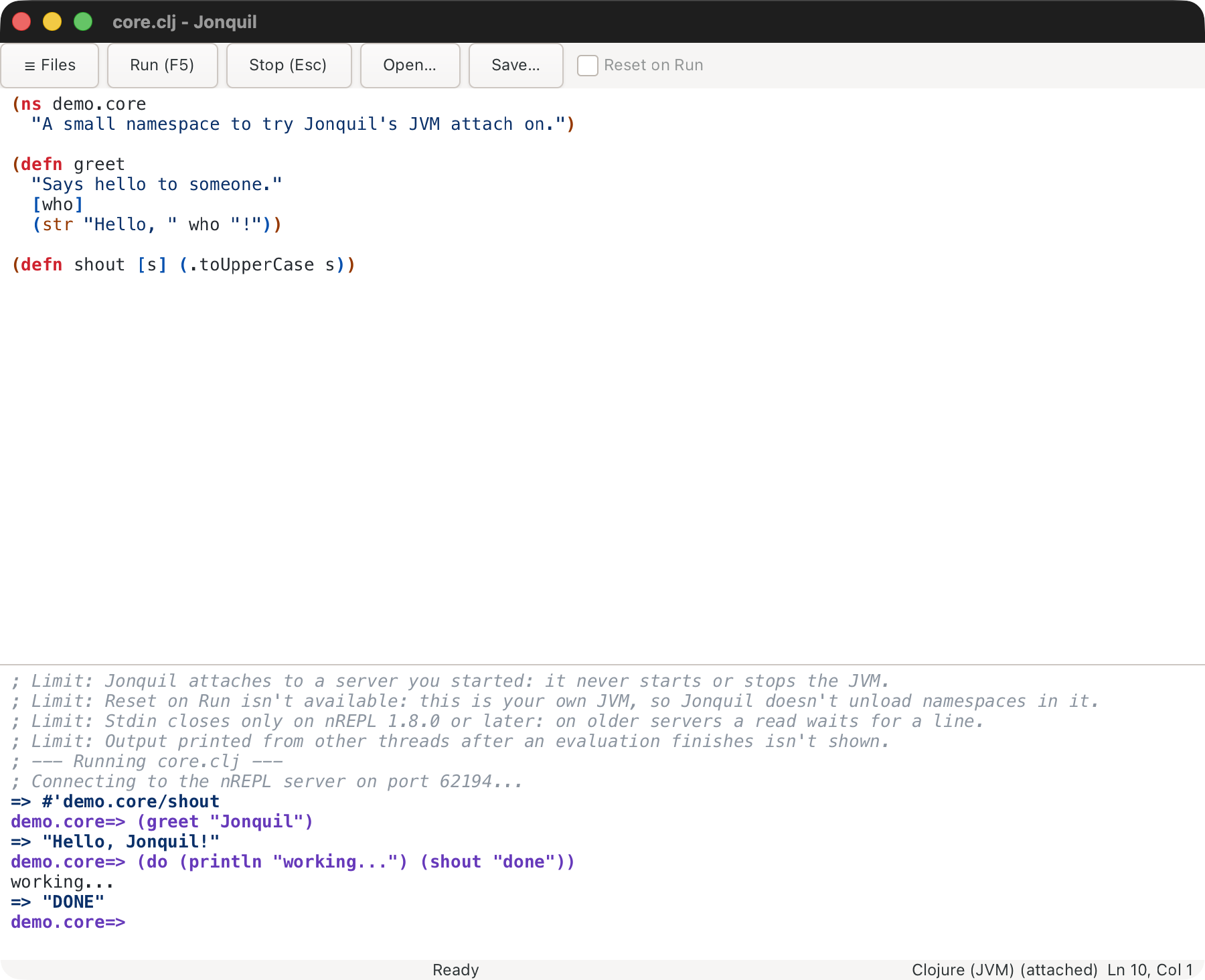
Jonquil never starts a JVM Clojure server; it connects to one you run.
- Start any nREPL server that writes
.nrepl-portin the project directory. The simplest is clojure-cli.repl's:servealias (Java 17+ and theclojureCLI):;; deps.edn {:paths ["src"] :aliases {:serve {:extra-deps {io.github.clojure/clojure-cli.repl-server {:mvn/version "0.1.0"}} :main-opts ["-m" "clojure-cli.repl.server"]}}}
Then clojure -M:serve, and wait for nREPL server listening on port N. 2. Put {:dialect :clj} in the project's .jonquil.edn. Nothing else picks this dialect (see Choosing a dialect). 3. Open a .clj or .cljc file and press Run.
Ctrl+C on the server removes .nrepl-port; the status bar shows (not running) until you restart it and Run again. Jonquil only reads .nrepl-port, never writes it. If it can't connect, the console says whether nothing is listening, the port file is stale, or the port isn't nREPL.
Auto-require
List namespaces to load on every connect, so the first prompt line can call into them:
;; .jonquil.edn
{:dialect :clj
 :auto-require [my.app.core my.app.dev]}
Jonquil prints ; auto-require: ... and sends one require before your first Run or REPL entry, and again after each reconnect. The same key works for Jolt projects (without :dialect): out of process it's required in the child at start and restart, in process once per window after :deps load. Reset on Run keeps these namespaces.
A failed require shows the server's error and "auto-require failed", and your own line still runs. The value must be a vector of namespace symbols, or it's ignored with a console note. Edits take effect in a new window.
Run, Stop, stdin and docs
- Run sends the whole pane as a
load-file; the file'snsdecides where it evaluates, and the prompt moves there. - REPL entries run in the prompt's namespace, which follows
in-ns. - Run Selection and Run Form (Cmd/Ctrl+E, Cmd/Ctrl+Enter) run in the buffer's namespace. If the server hasn't loaded it: "Run the file first."
- Stop sends
interruptand waits up to a second. If the evaluation doesn't end, Jonquil detaches and the next evaluation uses a fresh session. - stdin: type at the prompt while the status bar reads "Waiting for input". Cmd/Ctrl+D ends input on nREPL 1.8.0 or later.
- Show the last error's frames and locals lists the error's stack frames, each opening its file; the JVM keeps no locals (see the last error's frames).
- Completion and quick doc ask the server. Ctrl+Space merges its candidates with offline ones; Ctrl+Q or Shift+F1 shows the docstring and a
Defined inline, and F12 opens the source.
clojure-cli.repl-server 0.1.0 brings nREPL 1.7.0, which can't send end-of-input. For 1.8.0, add nrepl/nrepl {:mvn/version "1.8.0"} to the :serve alias's :extra-deps.
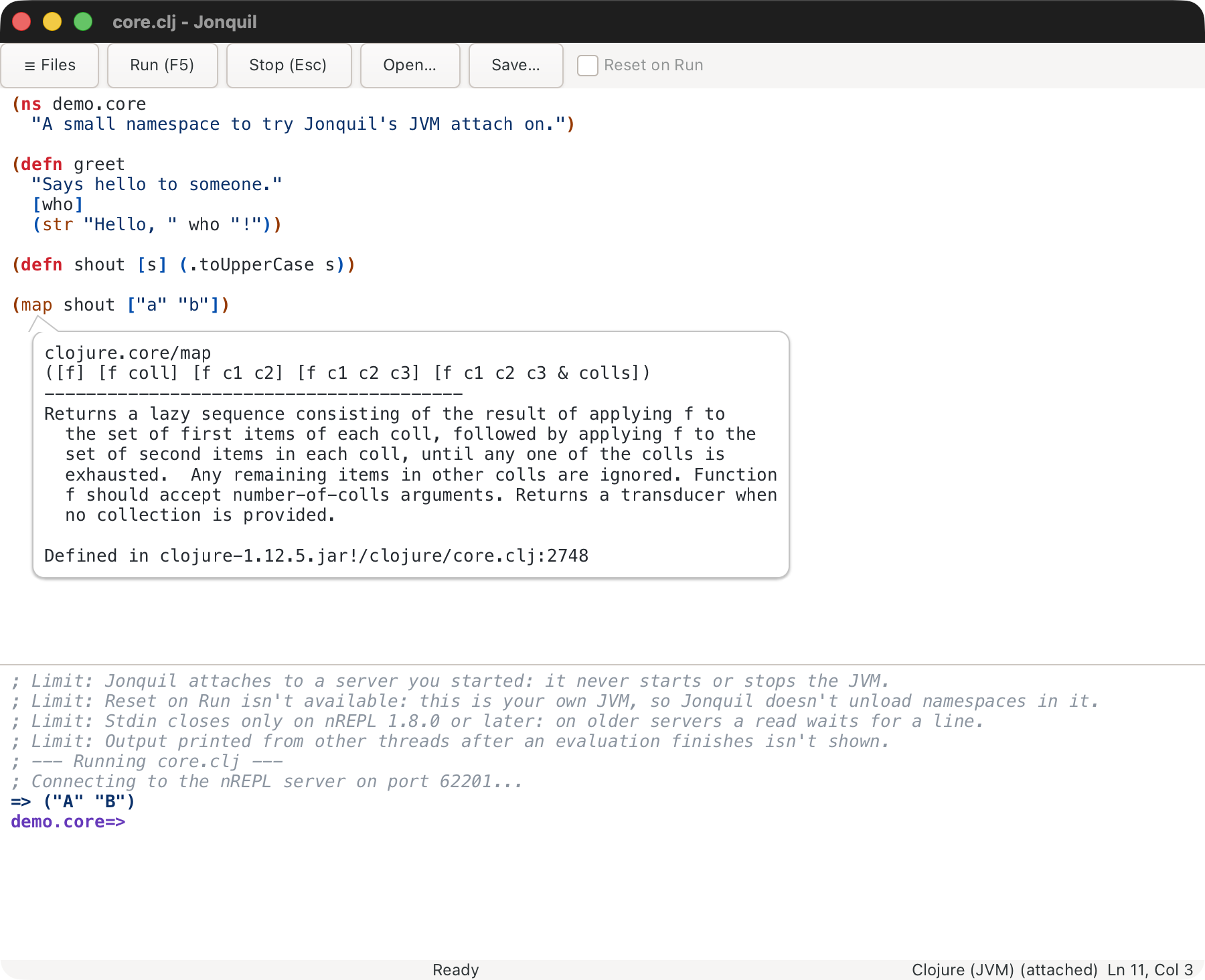
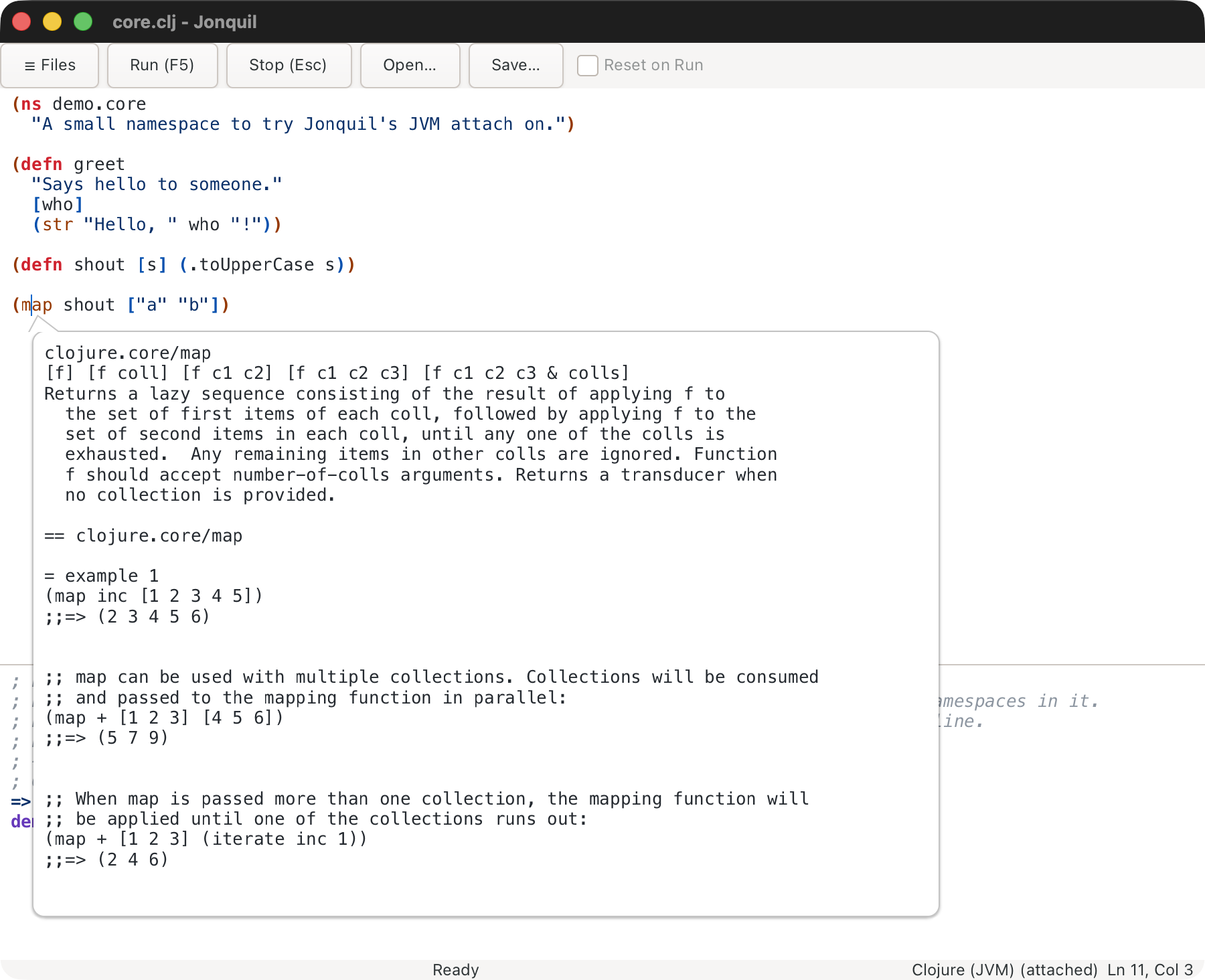
Press Ctrl+Q or Shift+F1 a second time for the full ClojureDocs entry, examples included. The first request downloads ClojureDocs' export (a few megabytes), which can take several seconds.
Each example has two buttons. Run in Interactions cleans the example's transcript (the user=> prompts, and the results and output printed after each prompted form, are dropped) and runs what is left in the user namespace, so an example can't replace your own definitions. When the prompt is in another namespace the console prints ; in user before the echo, and the prompt stays where it was. Run honours plugin before-run vetoes and refuses while the console is busy. Copy to Definitions puts the cleaned example on its own line after the top-level form at the caret, separated by blank lines, as one undo step. With the caret inside a (comment ...) block the example goes inside the block, just before its closing paren, so nothing runs when the file loads. In a read-only tab it says "This tab is read-only." and the popover stays open.
The popover stays open after Run and closes after Copy, on Escape (focus returns to the editor), when the caret moves, and when focus leaves it or the window. The buttons are mouse-only.
More in Known limits.
This page is docs/guide/dialects/jvm-clojure.md in the Jonquil repository.