
ClojureScript (experimental)
Part of Dialects and runtimes. Jonquil runs ClojureScript three ways: on node, in a browser tab, or attached to a shadow-cljs build you started.
ClojureScript (experimental): running on node
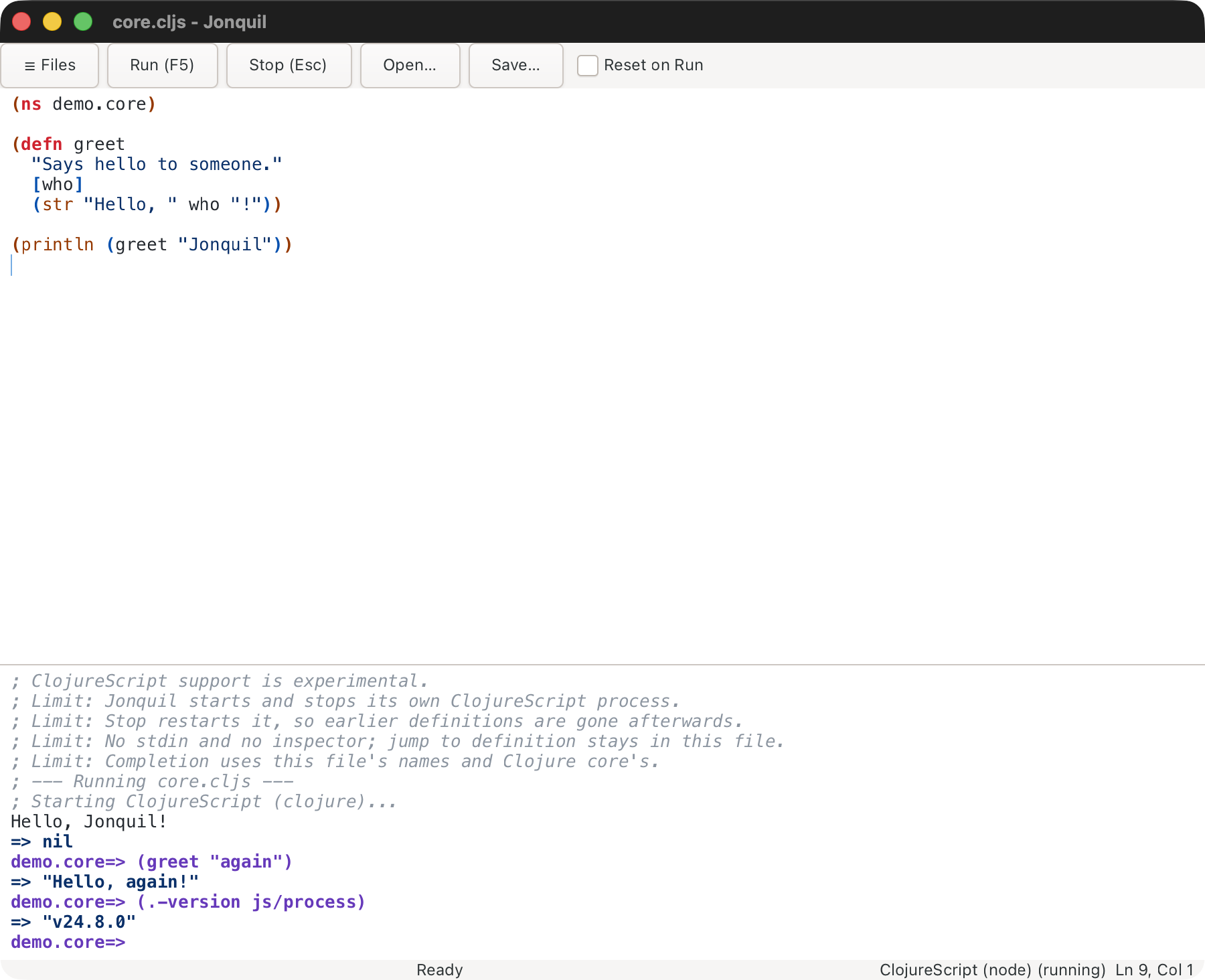
A .cljs file outside a shadow-cljs project (see Choosing a dialect) runs on node. Jonquil starts the runtime itself on the window's first Run, so there's nothing to start. The status bar reads ClojureScript (node) (not running) until then.
- Needs the Clojure CLI (
clojure, or setJONQUIL_CLOJURE) andnodeon the login shell'sPATH. Jonquil adds ClojureScript 1.12.42 unless the project'sdeps.ednalready namesorg.clojure/clojurescript. The first start can download dependencies, so it waits 60 seconds. - Run evaluates every top-level form in order and streams output. A JavaScript exception prints one error line and the session carries on. Input that ends inside a form is refused rather than sent.
- Stop and Reset on Run restart the process, so earlier definitions are gone. Reset on Run starts unticked here for that reason.
- Completion covers the buffer, Clojure core and the namespaces the session loaded. Quick docs work while the process is idle. F12 stays in the buffer. There is no inspector.
read-lineworks as on Jolt: the status showsWaiting for input, your next line answers it, Cmd/Ctrl+D ends it.- Security: the prepl and node's socket listen on
127.0.0.1only and are unauthenticated, so any local user could send code while the window is open.
ClojureScript (experimental): running in the browser
Node stays the default. For a browser tab, put this in the project's .jonquil.edn:
{:cljs {:target :browser}}
It needs a project (a loose .cljs file stays on node), and a project with a shadow-cljs.edn ignores it with a warning. An unknown :target warns and uses node. The status bar reads ClojureScript (browser) (not running) until the first Run.
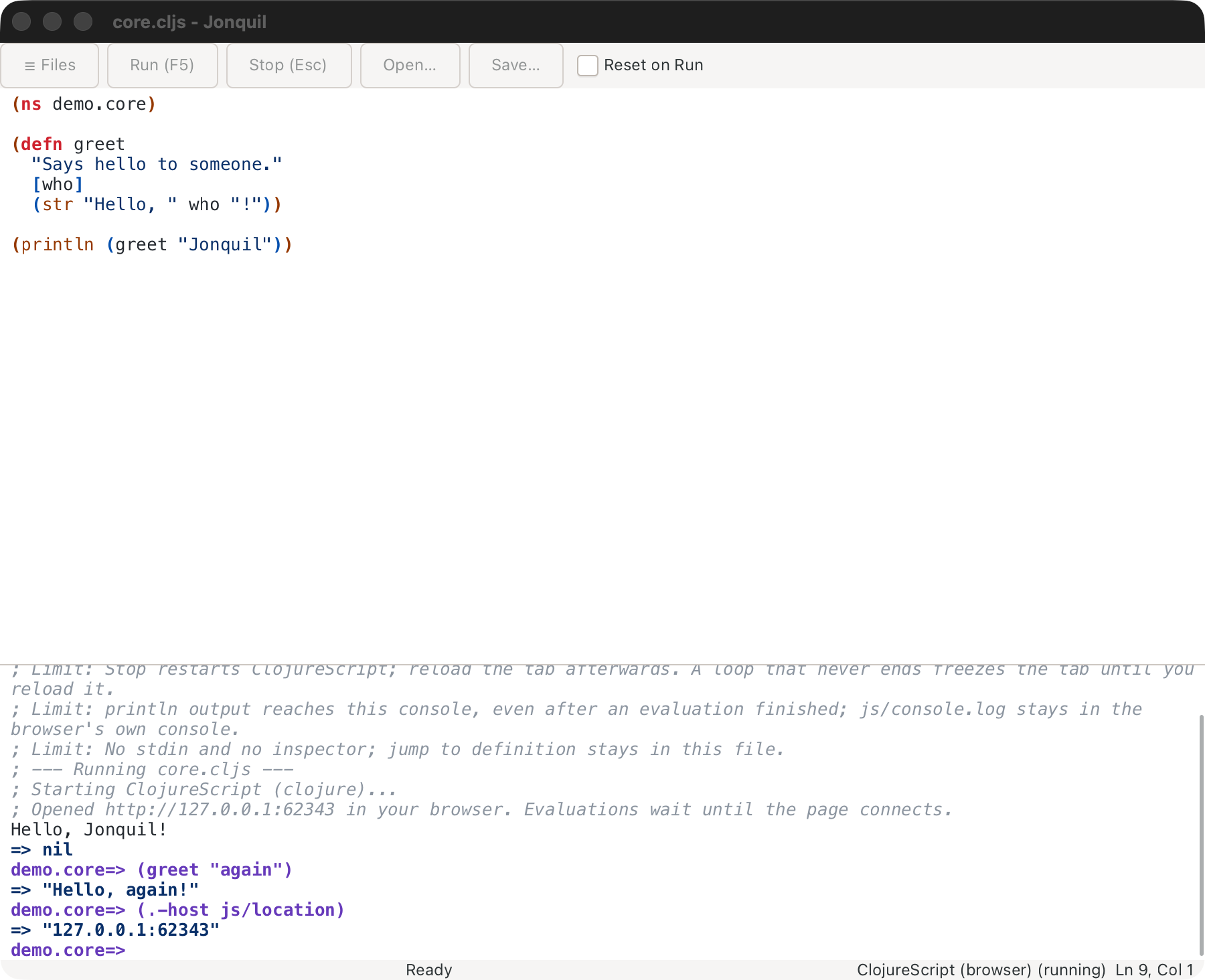
On the first Run, Jonquil starts ClojureScript and opens the page in your default browser (open, xdg-open, or the command in JONQUIL_OPEN_URL). It waits up to 60 seconds for the page to connect; if none does, the console gives the URL to open yourself.
- Each window has its own
127.0.0.1URL with a token, so an old tab can't join a new session. - Stop and Reset on Run restart ClojureScript, and the tab reloads itself. A frozen or closed tab needs a reload by hand.
printlnandjs/console.logboth reach Jonquil's console. To keepconsole.login devtools only, set:forward-console? falsein the:cljsmap.- No stdin or inspector; F12 stays in the buffer. The same loopback-only, unauthenticated exposure as node applies.
See Known limits for the rest.
ClojureScript (experimental): attaching to a shadow-cljs build
Jonquil never starts shadow-cljs or a JS runtime. You start them:
- Run
npx shadow-cljs watch <build>in the project. - Open the app in a browser, or run the node script the build writes.
- Open a
.cljsfile in the project and press Run.
Jonquil reads the port from .shadow-cljs/nrepl.port (never writing it), connects on the first Run, and selects the build with nrepl-select. :cljs/quit or :repl/quit leaves the ClojureScript session.
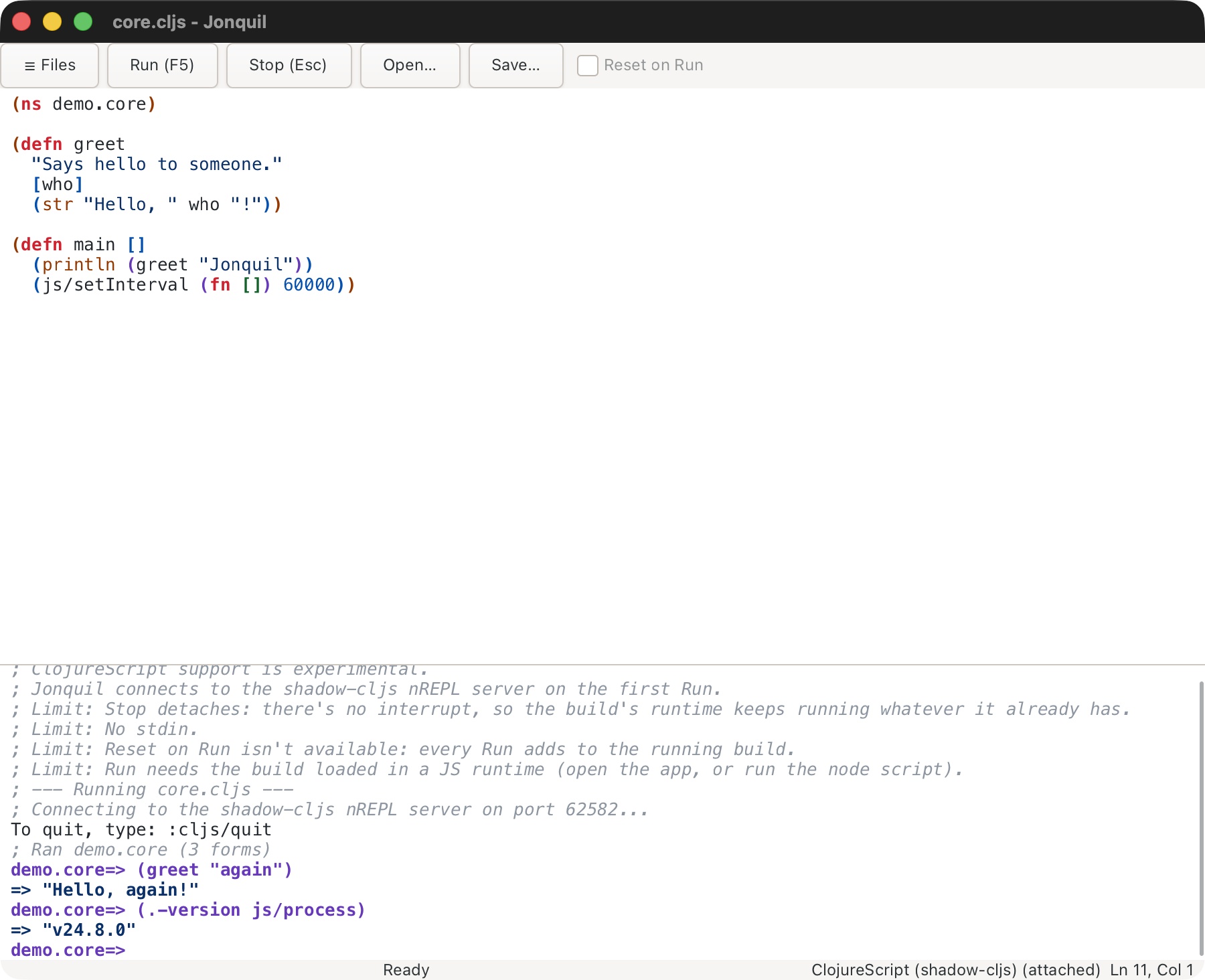
A .cljs file picks this dialect by extension and by the shadow-cljs.edn marker; {:dialect :cljs} in .jonquil.edn forces it. The build is {:cljs {:shadow-build :app}} in .jonquil.edn, or else the only build in shadow-cljs.edn:
;; .jonquil.edn
{:cljs {:shadow-build :app}}
With several builds and none named, Run ends with a notice listing them. Reopen the file after editing .jonquil.edn, since the edit takes effect then.
What the console says when it can't connect
- No server: "; No shadow-cljs server here. Start one in
<dir>with npx shadow-cljs watch app." - Stale
nrepl.port, or a port that isn't a shadow-cljs nREPL server: the message names the port and says nothing usable answers there. - Server up but build not loaded: "; The build isn't loaded in any JS runtime. Open the app (or run the node script) and Run again."
- A file outside any project, with
{:runtime :attach}forced: save it inside the project that hasshadow-cljs.edn.
- Run sends the whole buffer as one evaluation and ends with a "; Ran
(N forms)" line. An error in one form doesn't stop the rest; the summary counts the errors. - Stop detaches (the shadow-cljs interrupt stops nothing, since the work runs in the JS runtime). The app and watch are untouched, and the next evaluation reconnects. Reset on Run is greyed out.
- Completion and docs use the server's cider ops when present, and Jonquil's offline tables otherwise. Jump to definition stays in the buffer.
- Differences from a JVM habit:
js/console.loggoes to the JS runtime's console, not Jonquil's (printlndoes reach Jonquil). Requiring a namespace the build doesn't include compiles but throws a ReferenceError on first use, so keep a Run file's requires within the build.
This page is docs/guide/dialects/clojurescript.md in the Jonquil repository.